
When choosing the perfect environment for web development, comparing Cursor AI vs VS Code has become the ultimate debate for programmers and business owners alike. Writing code efficiently is crucial if you want to scale digital assets and publish high-quality sites quickly. Traditionally, Microsoft’s Visual Studio Code has been the gold standard, but the rise of artificial intelligence has introduced revolutionary competitors.
In this complete breakdown of Cursor AI vs VS Code, we will analyze which editor offers the absolute best features for beginners to streamline their daily development projects.
The Core Difference: Native AI vs Extensions
To understand the breakdown of Cursor AI vs VS Code, we must look at how both systems handle artificial intelligence.
While VS Code relies heavily on external extensions to bring AI features into the editor, Cursor is a standalone program built entirely around native AI models. This means it can read your entire project directory and answer complex questions without needing third-party plugins.
1. Interface and Learning Curve
For beginners, transitioning to a new tool can be intimidating.
- VS Code: Offers a highly familiar, clean interface that millions of developers use daily. If you are already managing custom themes or site footers, you know how reliable it is.
- Cursor AI: Since Cursor is built on a fork of VS Code, it looks and feels exactly the same. You can import all your themes, settings, and shortcuts with a single click during setup, making the learning curve zero.
2. Smart AI Capabilities and Features
This is where the comparison of Cursor AI vs VS Code takes a dramatic turn.
Cursor’s Codebase Chat
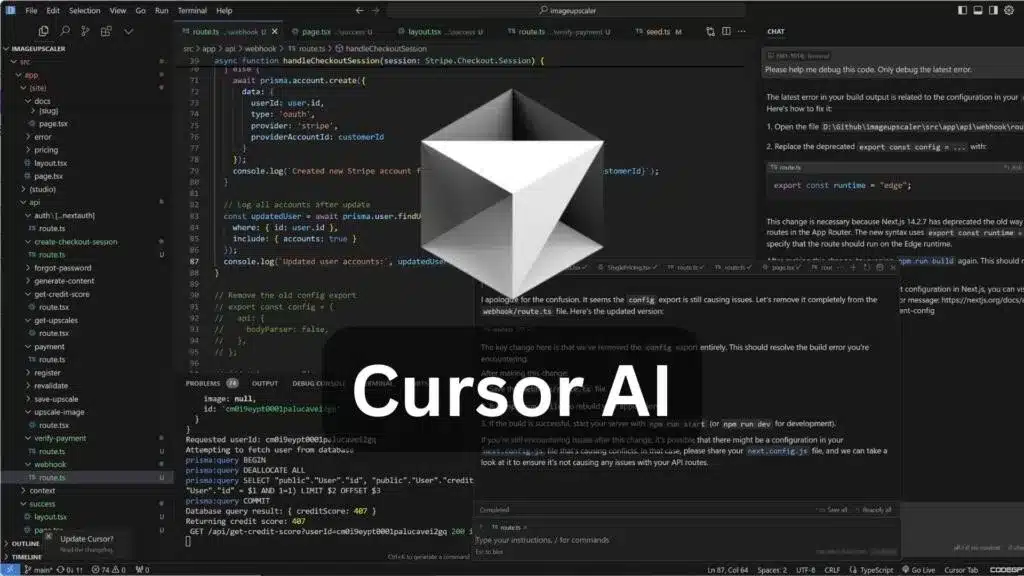
In Cursor, you can press a simple shortcut to open a chat panel that knows everything about your local code. You can literally ask it, “How do I fix the alignment in my footer?” or “Create a custom responsive menu,” and it will generate the exact code snippet based on your existing files.
VS Code’s Extension Model
VS Code requires you to install separate extensions like GitHub Copilot to get similar features. While powerful, it sometimes feels less integrated because the AI cannot automatically scan every single custom file in your directory unless explicitly prompted.
Comparison Table: Feature Breakdown
| Feature | Cursor AI | VS Code |
| Native AI Integration | Yes (Built-in LLMs) | No (Requires Extensions) |
| Project-Wide Chat | Yes (Scans entire folder) | Limited |
| Custom Extensions | Yes (Supports all VS Code plugins) | Yes (Industry Leader) |
| Pricing | Free Tier / Premium Paid | 100% Free |
Final Verdict
If you want a traditional, 100% free, and completely secure editor where you control every plugin, sticking with VS Code is a fantastic option. However, if you are a beginner looking to use artificial intelligence to write code 10 times faster without configuring heavy extensions, Cursor AI vs VS Code clearly proves that Cursor is the absolute best next-generation editor for modern workflows.
1 thought on “Cursor AI vs VS Code: 1 Absolute Best Code Editor for Beginners”